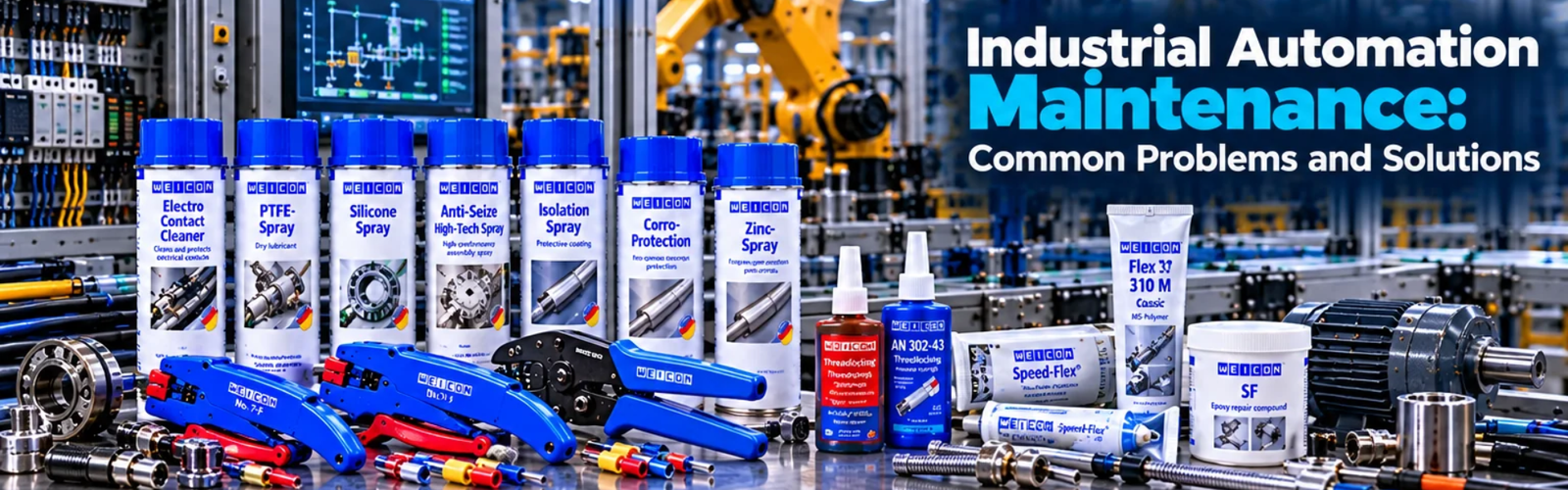
Industrial Automation Maintenance: Common Problems and Solutions
Admin
|
31 Oct 2026
|
13 min read
|
45 views
Industrial Automation Maintenance: Common Problems and Solutions
Modern industrial facilities depend on automation systems to keep production running efficiently and consistently.
PLCs, HMIs, VFDs, sensors, motors, control panels, communication networks and other automation components work together to control machines and industrial processes. When even one of these components develops a fault, the impact can extend beyond a single device.
A failed sensor can stop a production sequence.
A communication fault can disconnect an entire machine from the control system.
An overheating VFD can cause unexpected downtime.
A poorly maintained control panel can create repeated electrical problems.
This is why industrial automation maintenance is essential.
Regular maintenance helps organisations identify developing problems, maintain equipment performance, reduce unexpected downtime and extend the useful life of automation equipment.
In this guide, we explore some of the most common industrial automation maintenance problems, their possible causes, practical solutions, preventive maintenance strategies and how businesses can build a more reliable automation maintenance program.
What Is Industrial Automation Maintenance?
Industrial automation maintenance is the process of inspecting, testing, servicing and repairing the equipment and systems used to automate industrial processes.
It can involve:
- PLCs
- HMIs
- VFDs
- Servo drives
- Sensors
- Motors
- Control panels
- Relays
- Contactors
- Power supplies
- Industrial networks
- Communication equipment
- Safety systems
- SCADA systems
- Machine-control systems
The objective is not simply to repair equipment after it fails.
A strong maintenance strategy aims to:
- Prevent failures
- Detect problems early
- Maintain equipment performance
- Reduce unplanned downtime
- Improve reliability
- Protect production quality
- Extend equipment life
Why Is Automation Maintenance Important?
Industrial automation systems operate continuously in many manufacturing and processing environments.
Over time, equipment can experience:
- Electrical degradation
- Mechanical wear
- Dust accumulation
- Heat
- Vibration
- Moisture
- Corrosion
- Loose connections
- Sensor contamination
- Software or configuration issues
If these problems are ignored, they can eventually result in equipment failure.
Regular maintenance allows teams to identify these conditions before they become major production problems.
Common Industrial Automation Problems
Let's look at some of the most common problems maintenance teams encounter.
1. Sensor Failure
Sensors are among the most important components in an automated system.
They provide information about the physical process to the control system.
Common sensor types include:
- Proximity sensors
- Photoelectric sensors
- Temperature sensors
- Pressure sensors
- Level sensors
- Flow sensors
- Encoders
- Position sensors
When a sensor fails or provides incorrect information, the automation system may make the wrong decision.
Common Symptoms
- Machine does not start
- Incorrect product detection
- Unexpected machine stops
- Incorrect counting
- Positioning problems
- False alarms
- Inconsistent process operation
Possible Causes
- Physical damage
- Dust or contamination
- Incorrect alignment
- Wiring problems
- Electrical failure
- Incorrect sensor configuration
Solution
Maintenance teams should:
- Check the sensor physically.
- Verify alignment.
- Inspect wiring and connections.
- Check the sensor's power supply.
- Test the sensor output.
- Verify the PLC input.
- Replace the sensor if necessary.
2. Loose Electrical Connections
Loose electrical connections are a common source of intermittent automation problems.
They can occur in:
- Terminal blocks
- Control panels
- Contactors
- Relays
- Motor connections
- Power supplies
- PLC wiring
A loose connection can create:
- Intermittent faults
- Voltage drops
- Heat
- Equipment malfunction
- Unexpected shutdowns
Solution
During scheduled maintenance, qualified personnel should inspect connections and verify that they are secure according to the equipment manufacturer's requirements and applicable procedures.
Thermal inspection can also help identify abnormal heating at connections.
3. Control Panel Overheating
Automation equipment generates heat during operation.
Components such as:
- VFDs
- Power supplies
- Transformers
- Contactors
- Drives
can contribute to the thermal load inside a control panel.
Excessive temperature can reduce equipment reliability.
Common Causes
- Blocked ventilation
- Dirty filters
- Failed cooling fans
- Poor panel ventilation
- Excessive component loading
- High ambient temperature
Solution
Maintenance teams should inspect:
- Cooling fans
- Filters
- Ventilation openings
- Panel temperature
- Component spacing
- Signs of overheating
Where required, cooling equipment should be cleaned, repaired or replaced.
4. VFD Faults
Variable Frequency Drives are widely used to control motors.
A VFD can experience faults associated with:
- Overcurrent
- Overvoltage
- Undervoltage
- Overheating
- Motor problems
- Incorrect parameters
- Communication problems
Symptoms
A motor may:
- Stop unexpectedly
- Fail to start
- Operate at the wrong speed
- Generate repeated drive alarms
- Trip under load
Solution
The first step is to identify the actual fault code and investigate the underlying cause.
Maintenance teams should check:
- Drive fault history
- Motor condition
- Incoming power
- Motor cables
- Cooling
- Drive parameters
- Load conditions
- Communication
Simply resetting the VFD repeatedly without addressing the underlying problem can allow the fault to return.
5. PLC Communication Problems
A PLC may need to communicate with:
- HMIs
- VFDs
- Remote I/O
- SCADA systems
- Sensors
- Other PLCs
A communication failure can cause equipment to stop or prevent operators from receiving important information.
Common Causes
- Damaged network cable
- Loose connector
- Network configuration issue
- Failed communication module
- Power supply problem
- Network switch failure
- Incorrect device configuration
Solution
Maintenance personnel can check:
- Device power.
- Network connections.
- Communication status.
- Network indicators.
- Device configuration.
- Switches and network equipment.
- Communication diagnostics.
6. HMI Problems
The HMI is the primary interface between operators and many automated machines.
Common HMI problems include:
- Screen freezing
- Communication loss
- Incorrect values
- Missing alarms
- Touchscreen problems
- Software errors
- Power issues
Solution
Maintenance teams should first determine whether the problem is:
HMI hardware → Network → PLC → Configuration → Software
Checking the communication status between the HMI and PLC is often an important troubleshooting step.
7. Power Supply Failure
Industrial automation systems depend on stable electrical power.
Control panels may contain power supplies that provide the required voltage to:
- PLCs
- Sensors
- Relays
- HMIs
- Communication devices
A failing power supply can create multiple seemingly unrelated problems.
Symptoms
- Multiple devices stop working
- PLC restarts
- Sensors stop responding
- Communication failures
- Intermittent faults
Solution
Maintenance teams should verify:
- Input voltage
- Output voltage
- Power supply indicators
- Wiring
- Load conditions
- Signs of overheating
A failing power supply should be replaced with an appropriately rated unit.
8. PLC Input or Output Problems
PLCs communicate with field devices through inputs and outputs.
Inputs
Examples:
- Sensors
- Switches
- Push buttons
Outputs
Examples:
- Relays
- Solenoids
- Contactors
- Indicator devices
A failed input can prevent the PLC from receiving the correct information.
A failed output can prevent the PLC from controlling the connected equipment.
Solution
Troubleshooting should determine whether the fault is located at:
Field Device → Wiring → I/O Module → PLC Program
This prevents technicians from replacing components unnecessarily.
9. Contactor and Relay Problems
Contactors and relays are commonly used in industrial control systems.
Over time, electrical switching can cause wear.
Problems may include:
- Contact wear
- Coil failure
- Mechanical sticking
- Overheating
- Loose connections
Solution
Inspect the component for:
- Physical damage
- Discolouration
- Excessive wear
- Loose wiring
- Coil problems
Components showing significant deterioration should be replaced appropriately.
10. Dust and Contamination
Industrial environments can contain:
- Dust
- Oil
- Moisture
- Metal particles
- Chemical contaminants
These can accumulate inside or around automation equipment.
Contamination can affect:
- Cooling
- Sensors
- Electrical connections
- Fans
- Filters
- Control panels
Solution
Maintenance schedules should include appropriate inspection and cleaning.
The cleaning method should be suitable for the equipment and environment. Maintenance personnel should follow manufacturer instructions and site safety procedures rather than introducing contamination or static hazards through inappropriate cleaning methods.
11. Motor Problems
Automation systems frequently control electric motors.
Motor-related problems can affect:
- Conveyors
- Pumps
- Fans
- Compressors
- Processing equipment
Potential causes include:
- Mechanical wear
- Overload
- Poor ventilation
- Bearing problems
- Electrical faults
- Incorrect drive settings
Solution
Motor maintenance can involve checking:
- Operating current
- Temperature
- Vibration
- Mechanical condition
- Connections
- Drive parameters
Condition monitoring can help identify developing problems.
12. Encoder Problems
Encoders provide information about position, speed or movement.
They are commonly used in:
- Servo systems
- CNC machinery
- Conveyors
- Robotics
- Automated positioning systems
An encoder problem can cause:
- Positioning errors
- Incorrect speed feedback
- Servo faults
- Unexpected machine behaviour
Solution
Check:
- Encoder connections
- Cable condition
- Mechanical coupling
- Power supply
- Feedback signals
- Drive diagnostics
13. Communication Network Failures
Modern automation systems can depend heavily on industrial networks.
A network problem can affect multiple devices simultaneously.
Potential causes include:
- Cable damage
- Connector failure
- Switch failure
- Configuration errors
- Device failure
- Power loss
Solution
Network troubleshooting should be systematic.
Start by determining:
Which devices are affected?
If one device is offline, the problem may be local.
If many devices are offline, investigate the network infrastructure, switches and power supply.
14. Software and PLC Program Issues
Not every automation problem is caused by hardware.
Software and configuration issues can also cause unexpected behaviour.
Examples include:
- Incorrect parameters
- Program changes
- Configuration errors
- Incorrect recipes
- Communication settings
- Logic changes
Solution
Organisations should maintain:
- Program backups
- Configuration backups
- Change records
- Version control
- Appropriate access controls
Before making changes to an operational PLC or automation system, the impact should be properly assessed and the relevant backup and change-control procedures followed.
15. Incorrect VFD Parameters
VFDs depend on correctly configured parameters.
Incorrect settings can affect:
- Motor speed
- Acceleration
- Deceleration
- Current limits
- Motor protection
- Control mode
Solution
Compare the drive configuration against the approved application settings and manufacturer requirements.
Important parameters should be documented and backed up where the drive supports it.
16. Safety System Faults
Industrial automation systems may include:
- Emergency stops
- Safety relays
- Guard switches
- Light curtains
- Safety PLCs
A safety-system fault can prevent machinery from operating.
This is often intentional.
The system may be designed to prevent operation until the safety condition has been restored.
Solution
Maintenance teams should identify the specific safety device or condition causing the fault.
Safety systems should never be bypassed simply to get a machine running.
The cause should be investigated and corrected according to the machine's safety procedures.
Preventive vs Reactive Maintenance
There are two common approaches to maintenance.
Reactive Maintenance
Equipment is repaired after it fails.
Example:
Motor fails → Production stops → Maintenance responds
This approach can lead to:
- Unplanned downtime
- Production losses
- Emergency repair costs
- Increased disruption
Preventive Maintenance
Equipment is inspected and maintained at planned intervals.
Example:
Scheduled inspection → Problem identified → Maintenance performed
This can help reduce unexpected failures.
However, maintenance intervals should be based on equipment requirements, operating conditions, manufacturer recommendations and actual failure patterns rather than simply applying the same schedule to every component.
Predictive Maintenance
Predictive maintenance goes a step further.
Instead of relying only on fixed maintenance intervals, condition information is used to identify developing problems.
Data can include:
- Vibration
- Temperature
- Motor current
- Operating hours
- Pressure
- Drive alarms
- Equipment performance
For example:
Normal Vibration → Increasing Vibration → Investigation → Maintenance
This can help maintenance teams intervene before a failure occurs.
Condition Monitoring
Condition monitoring technologies can provide valuable information about equipment health.
Depending on the application, monitoring may include:
Vibration Monitoring
Useful for identifying certain mechanical problems.
Thermal Monitoring
Can identify abnormal heating.
Electrical Monitoring
Can provide information about current, voltage and other electrical conditions.
Process Monitoring
Can track:
- Pressure
- Flow
- Temperature
- Level
The right monitoring method depends on the equipment and failure modes being considered.
Industrial Automation Maintenance Checklist
A structured maintenance program can include:
| Maintenance Area | What to Check |
| Control panels | Cleanliness, heat, connections |
| PLC | Diagnostics, status, backups |
| HMI | Display, communication, alarms |
| VFDs | Fault history, cooling, parameters |
| Sensors | Alignment, contamination, wiring |
| Motors | Temperature, vibration, current |
| Networks | Connections, communication status |
| Power supplies | Voltage and condition |
| Contactors | Contacts, coils, wear |
| Relays | Operation and condition |
| Safety systems | Device status and functionality |
| Software | Backups and authorised changes |
| Cooling | Fans, filters, ventilation |
| Documentation | Drawings, programs and records |
How to Troubleshoot Automation Problems
A structured troubleshooting process is more effective than randomly replacing components.
Step 1: Understand the Symptom
What exactly is happening?
For example:
Motor does not start.
Step 2: Check the Obvious Conditions
Verify:
- Power
- Emergency-stop status
- Safety conditions
- Control mode
- Fault indicators
Step 3: Check the HMI
Look for:
- Alarms
- Fault codes
- Machine status
- Sensor status
Step 4: Check the PLC
Determine whether the PLC is:
- Running
- Receiving inputs
- Sending outputs
- Reporting faults
Step 5: Check the Field Device
Inspect:
- Sensor
- Motor
- VFD
- Valve
- Contactor
Step 6: Check Wiring and Communication
Inspect relevant connections and network status.
Step 7: Identify the Root Cause
Do not simply replace the component that appears to be faulty.
Determine why the failure occurred.
Step 8: Document the Repair
Record:
- Fault
- Cause
- Corrective action
- Replaced components
- Test results
This information can help identify recurring problems.
Why Documentation Matters
Good automation maintenance requires good documentation.
Important documents can include:
- Electrical drawings
- PLC programs
- HMI projects
- Network diagrams
- VFD parameters
- Equipment manuals
- Maintenance records
- Spare-parts information
- Safety documentation
Without accurate documentation, troubleshooting can become significantly more difficult.
Spare Parts Management
Critical automation components should be assessed to determine whether spare parts need to be held on site.
Potential critical spares may include:
- PLC modules
- Power supplies
- Sensors
- VFDs
- Relays
- Contactors
- Communication modules
The appropriate spare-parts strategy depends on equipment criticality, lead times and the consequences of failure.
Training Maintenance Teams
Automation systems are becoming increasingly sophisticated.
Maintenance personnel may need knowledge of:
- Electrical systems
- PLCs
- Sensors
- Drives
- HMIs
- Industrial networks
- Control systems
- Safety systems
Training should match the equipment and responsibilities of the maintenance team.
Automation Maintenance in Mining
Mining environments can be particularly demanding for automation equipment.
Challenges can include:
- Dust
- Vibration
- Temperature
- Moisture
- Continuous operation
- Remote locations
Automation maintenance programs in mining may therefore place particular emphasis on:
- Equipment condition
- Control-panel cleanliness
- Cooling
- Sensor reliability
- Network communication
- Motor and drive condition
- Preventive inspections
Reliable automation maintenance can be particularly important where equipment downtime has a significant operational impact.
Automation Maintenance in Manufacturing
Manufacturing facilities often operate multiple automated machines simultaneously.
A maintenance issue on one machine can potentially affect an entire production line.
For this reason, maintenance teams should understand the relationship between:
Machine → PLC → HMI → VFD → Sensors → Network
Troubleshooting the individual component without understanding the overall system can make fault finding slower.
Common Maintenance Mistakes
1. Waiting Until Equipment Fails
Reactive maintenance can result in unnecessary downtime.
2. Replacing Components Without Diagnosis
Replacing parts without identifying the root cause can waste time and money.
3. Ignoring Small Problems
Intermittent alarms or minor temperature increases can sometimes indicate developing issues.
4. No Backup of PLC Programs
A missing program backup can make recovery significantly more difficult after a controller failure.
5. Poor Documentation
Incorrect drawings and undocumented modifications make troubleshooting harder.
6. Bypassing Safety Systems
Safety devices should never be bypassed simply to restore production.
7. Ignoring Environmental Conditions
Dust, heat, vibration and moisture can significantly affect automation equipment.
Building an Effective Automation Maintenance Strategy
A strong maintenance program can combine several approaches:
Preventive Maintenance
Scheduled inspections and servicing.
Predictive Maintenance
Condition-based monitoring and analysis.
Corrective Maintenance
Repairing identified problems.
Emergency Maintenance
Responding to unexpected failures when they occur.
The objective is to reduce emergency maintenance by identifying and addressing problems earlier.
Industrial Automation Maintenance KPIs
Businesses can track maintenance performance using metrics such as:
Mean Time Between Failures — MTBF
How frequently equipment failures occur.
Mean Time To Repair — MTTR
How long it takes to restore equipment after failure.
Unplanned Downtime
Time lost due to unexpected equipment problems.
Repeat Failures
How often the same problem returns.
Maintenance Compliance
Whether planned maintenance activities are completed as scheduled.
These metrics can help organisations identify where maintenance strategies need improvement.
Frequently Asked Questions
What is industrial automation maintenance?
Industrial automation maintenance involves inspecting, servicing, troubleshooting and repairing automation equipment such as PLCs, HMIs, VFDs, sensors, control panels and industrial networks.
What is the most common automation maintenance problem?
There is no single problem that applies to every facility. Common issues include sensor faults, electrical connection problems, overheating, communication failures, power-supply issues and drive faults.
How can automation downtime be reduced?
Preventive maintenance, condition monitoring, proper documentation, spare-parts planning and systematic troubleshooting can all contribute to reducing unplanned downtime.
How often should automation equipment be maintained?
There is no universal interval. Maintenance schedules should consider manufacturer recommendations, operating environment, equipment criticality, usage and historical failure patterns.
What is predictive maintenance?
Predictive maintenance uses equipment-condition information to identify developing problems and determine when maintenance may be required.
Why are PLC backups important?
A current PLC program backup can help an organisation recover more quickly if a controller fails or its program is lost or corrupted.
Should safety devices ever be bypassed during troubleshooting?
Safety systems should not be bypassed simply to restore production. Any testing or maintenance involving safety functions should follow the applicable machine safety procedures and be performed by appropriately qualified personnel.
Conclusion
Industrial automation systems are critical to modern manufacturing, mining and processing operations, but they require regular maintenance to remain reliable.
Problems such as sensor failures, loose connections, overheating, VFD faults, PLC communication issues, power-supply failures, network problems and equipment wear can all contribute to unexpected downtime.
The most effective approach is not simply to repair equipment when it fails.
A stronger strategy combines:
Preventive Maintenance + Condition Monitoring + Predictive Maintenance + Good Documentation + Skilled Troubleshooting
Maintenance teams should also focus on identifying the root cause of failures rather than repeatedly replacing components.
When automation equipment is properly maintained, businesses can improve system reliability, reduce unexpected downtime, extend equipment life and maintain more consistent production performance.
For modern industrial facilities, automation maintenance is not just a repair function.
It is an important part of operational reliability, productivity and long-term equipment performance.
Looking for Industrial Automation & Maintenance Solutions?
At LECA, we help businesses identify and source industrial automation and control components suited to their operational requirements.
From PLCs, sensors, HMIs, VFDs, control-panel components and industrial communication equipment to automation solutions, the right equipment can help businesses build more reliable industrial systems.
Need help selecting automation components or improving the reliability of your industrial system? Contact LECA today.
Explore Industrial Automation Products